
5 "Mastering Camera Settings: A Beginner's Guide to Photography Excellence"
- bergsi20031989
- Feb 19, 2024
- 9 min read
Updated: Mar 9, 2024
Photography & Cameras Master the Essentials - Step by Step Guide
Introduction to Cameras: Uncover the fundamentals of camera settings, the variety of settings available, and their diverse uses in different fields.
"Mastering Camera Settings: A Beginner's Guide to Photography Excellence"
The most photographed day in history was August 21, 2017, during the total solar eclipse across North America.
Might be an interesting setting to adjust for a solar eclipse.
Figure it out along the way. Read through this article and get inspired with the basics to know.
Enjoy, geat ready for a brilliant shoot!

Our newsletter is your gateway to discovering different cool brands, gaining valuable insights, and getting your hands on exciting gear that stands out from the crowd. Whether you're a tech enthusiast, an outdoor adventurer, or a passionist about ethical fashion, we've got something for everyone. We love to discover useful, special and suistainable goods that are bringing value into the life of others. Sign up now to stay informed and inspired by the innovations shaping our world.
Join us on this exciting journey to explore, discover, and experience the forefront of innovation and style. Subscribe
First and foremost we will use an easy approach with our language and try to keep it as essential yet detailed to provide you with the best possible effect to catch the information provided.
"Yet, the colorful and brilliant magic lies beyond these words. The images and visuals captured through the lens of your unique worldview are breathtaking and exciting in photography."
Basic Camera Settings
In this section, we'll explore the basic camera settings that are the foundation of every great photo: ISO, aperture, shutter speed, white balance, and focus mode.
Aperture (F-Stop) - The Eye of Your Camera
Is the size of the opening in the lens when a picture is taken. It's measured in f-stops and controls how much light enters the camera through the lens. The aperture size directly affects the exposure and depth of field in photographs.
Impact on Photos: Influences depth of field and light intake. A wider aperture (lower f-stop) increases light and creates a shallow depth of field for blurred backgrounds. A smaller aperture (higher f-stop) reduces light, sharpening more of the scene.
Good For: Ideal for managing the focus area—use wide apertures for portraits to isolate subjects from the background and narrow apertures for landscapes to keep everything in focus.
Shutter Speed - Capturing Moments
Is the duration for which the camera shutter is open to expose light onto the camera sensor. It's a critical component in balancing the exposure and capturing the dynamics of motion within your frame.
Impact on Photos: Controls motion appearance. Fast speeds freeze action, while slow speeds introduce motion blur.
Good For: Perfect for capturing fast-moving subjects clearly with high speeds or creating artistic blur effects in moving elements like water or city lights with low speeds.
ISO - Sensitivity to Light
Represents the sensitivity of your camera's sensor to light. Adjusting the ISO setting allows you to shoot effectively in various lighting conditions without compromising on shutter speed or aperture.
Impact on Photos: Higher ISO settings enable shooting in lower light but can introduce noise. Lower ISOs yield cleaner images but require more light.
Good For: Adjusting to your lighting situation—low ISO for bright conditions to ensure crisp images, and high ISO in dim settings when you need to avoid blur from slow shutter speeds.
White Balance - Color Accuracy
Is a camera setting that adjusts the color balance in your photos to accurately represent the colors in your scene, compensating for the color temperature of different light sources.
Impact on Photos: Ensures accurate color representation, preventing unnatural color casts.
Good For: Making sure your photos have true-to-life colors, regardless of the lighting environment—indispensable for indoor photography under artificial lighting and for balancing the blue tones in shady outdoor scenes.
Exposure Compensation - Fine Tuning
Is a feature that allows photographers to override the camera's automatic exposure settings, enabling them to manually adjust the brightness of their photos for optimal exposure.
Impact on Photos: Enables fine-tuning of the exposure level to match the photographer's vision, especially useful in challenging lighting conditions.
Good For: Quick adjustments to get the exposure just right without manually changing ISO, aperture, or shutter speed—useful for scenes with high contrast or backlighting.
Focus Mode - Sharp Subjects
Determines the method your camera uses to focus on subjects, offering options from manual focusing, where the photographer adjusts focus manually, to various autofocus modes that automatically adjust focus based on the subject's movement and position.
Impact on Photos: Ensures that the subject is in clear focus, which is critical for image quality.
Good For
Manual Focus: When you need precise control over the focus point, such as in macro or portrait photography.
Single-Shot Autofocus (AF-S or One Shot AF): Great for stationary subjects, ensuring sharp focus for each shot.
Continuous Autofocus (AF-C or AI Servo AF): Ideal for tracking moving subjects and keeping them in focus throughout the shot.
Metering Mode - Light measurement adjustment
Is how the camera measures the light in the scene and decides on the best exposure settings. It takes into account the brightness of the scene and adjusts the camera settings to ensure the photo is neither too dark nor too bright.
Impact on Photos: Affects the overall brightness of your images, ensuring proper exposure across various parts of the scene.
Good For
Spot Metering: Targeting a specific area of the scene for precise exposure—useful in backlit situations or when photographing subjects against a much brighter or darker background.
Center-Weighted Metering: Focusing on the central part of the frame, ideal for portraits where the subject is centrally located.
Evaluative/Matrix Metering: General photography, as it assesses the entire scene to set exposure, adapting well to most lighting conditions.
If you're new to photography, don't get discouraged by the endless opportunities provided to set the stage for your perfect shot. It takes time and probably thousands of snaps to master the art of camera settings.
The reward is outstanding and unique because you will be able to give your shots that special touch to stand out.

When faced with the choice between manual and automatic shooting modes. Here's a breakdown of both approaches and some advice on how to navigate them as a beginner
Automatic Shooting Mode
What It Is: Automatic mode (often denoted as "Auto" on the mode dial) allows the camera to make all the decisions for you. It adjusts settings like aperture, shutter speed, ISO, and white balance based on the scene it detects.
Pros for Beginners:
Ease of Use: It's the easiest way to start taking photos, as you can focus on composition and capturing the moment without worrying about settings.
Learning Tool: Observing how your camera adjusts settings in different situations can be a valuable learning tool.
Cons:
Limited Creative Control: Auto mode might not always choose the settings you would prefer for a given scene, potentially limiting creative outcomes.
Suboptimal Results in Complex Lighting: Cameras can struggle to choose the right settings in challenging lighting conditions, leading to underexposed or overexposed photos.
Manual Shooting Mode
What It Is: Manual mode (denoted as "M" on the mode dial) gives you full control over all camera settings, including aperture, shutter speed, and ISO.
Pros for Beginners
Creative Freedom: You have complete control to adjust settings based on your creative vision, allowing for more artistic and intentional photographs.
Better Understanding of Photography: Learning to adjust settings manually deepens your understanding of how photography works and how different elements affect your images.
Cons
Steep Learning Curve: It can be daunting at first to figure out how to balance all the settings for the perfect exposure.
Slower Shooting Process: Until you become proficient, manually adjusting settings for each shot can be time-consuming.
Advice for Beginners
Start with Auto: Begin in automatic mode to get comfortable with your camera and focus on composition and framing. Pay attention to the settings your camera chooses in auto mode to get a sense of how different situations affect exposure.
Experiment with Semi-Automatic Modes: Use semi-automatic modes like Aperture Priority (Av or A) and Shutter Priority (Tv or S) to start experimenting with manual controls while the camera takes care of the rest. This can be a great middle ground to learn about individual settings.
Practice in Manual: Once you're comfortable, start practicing in manual mode in low-pressure situations. This will help you learn how to achieve the exposure you want and understand the relationship between aperture, shutter speed, and ISO.
Learn and Experiment: Photography is a continuous learning process. Don't be afraid to make mistakes, as they are valuable learning opportunities. Experimenting is key to finding your style and improving your skills.
For beginners, the journey from automatic to manual shooting is a rewarding process that offers a deeper understanding and greater creative control of photography.
Read this post for tips, tricks, and resources that will provide you with affordable courses to help you delve deeper into the creative world of photography.
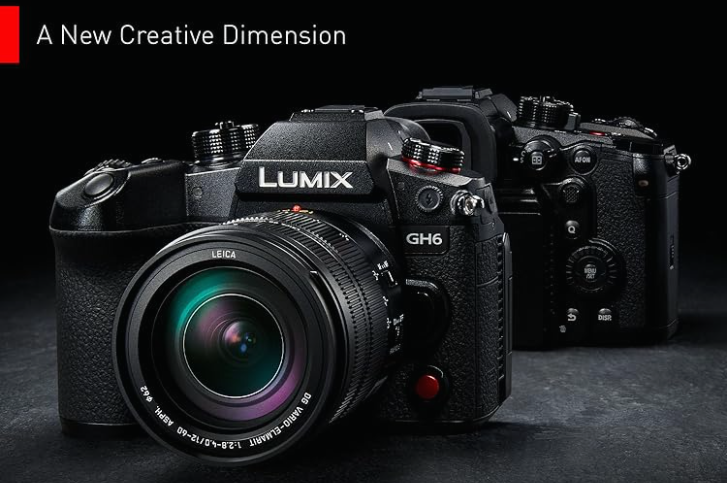
Insight Advanced Settings
Picture Styles/Profiles
Overview: Adjust the color, contrast, and sharpness directly in-camera with picture styles or profiles, including Standard, Portrait, Landscape, and Monochrome.
Benefit: Tailoring the picture style to your subject enhances the mood and impact, reducing the need for extensive post-processing.
2. Exposure Bracketing
Overview: Takes multiple shots of the same scene at different exposure levels to capture underexposed, correctly exposed, and overexposed variations.
Benefit: Ideal for high-contrast scenes, allowing for a composite image with perfect exposure by blending these shots in post-processing.
3. Focus Peaking
Overview: Highlights the edges of in-focus objects with a colored outline, available in some mirrorless cameras and DSLRs with live view.
Benefit: Invaluable for manual focusing, ensuring critical parts of your image are sharp, particularly in macro or portrait photography.
4. Histogram
Overview: A graphical representation of your photo's tonal values, indicating the distribution of shadows, midtones, and highlights.
Benefit: Helps adjust exposure settings accurately in-camera to retain detail in both bright and dark areas.
5. RAW vs. JPEG
Overview: RAW files capture all data from the sensor without compression, offering the highest quality. JPEGs are compressed and processed in-camera, saving space.
Benefit: Shooting in RAW provides extensive post-processing flexibility, allowing significant adjustments without image quality loss.
6. Flash Compensation
Overview: Adjusts the flash's power to be brighter or dimmer, fine-tuning the light output.
Benefit: Achieves more natural lighting in photos, avoiding harsh shadows or overexposure common with direct flash.
7. Intervalometer/Time-lapse
Overview: Takes photos at set intervals for combining into a time-lapse video, showcasing changes over time.
Benefit: Perfect for capturing dynamic scenes like sunsets, blooming flowers, or cloud movements, adding a captivating element to your work.
8. Custom Settings
Overview: Allows customization of buttons, dials, and saving of preferred settings for quick access.
Benefit: Tailoring your camera to your shooting style speeds up the workflow, enabling swift adjustments during shoots.
Before you delve into advanced settings, you will likely need to take many images beforehand, but it is always worth trying and exploring, as it can have a great impact on your development in the photography scene. Most importantly, be curious and engage with photography.
It should be a fun hobby to capture beautiful moments for your personal gallery, the professionalism will come along the way.
Do you wanna explore different cameras for different uses? DSLR or mirrorless, instant cameras? Find your fit and get ready for new adventures!
***

Don't miss out on the latest trends in tech gear, from cutting-edge drones & action cameras to the best in outdoor equipment and sustainable fashion.
Our newsletter is your gateway to discovering different cool brands, gaining valuable insights, and getting your hands on exciting gear that stands out from the crowd. Whether you're a tech enthusiast, an outdoor adventurer, or a passionist about ethical fashion, we've got something for everyone. We love to discover useful, special and suistainable goods that are bringing value into the life of others. Sign up now to stay informed and inspired by the innovations shaping our world.
Explore Our Backpack Fashion Guide Don't miss our detailed blog post series on sustainability in the outdoorsy world and their leading brands. Designed for everyone who loves cool & innovative backpacks. From day backpacks to travel backpacks.
***
Explore Our Suistainable Fashion Guide Don't miss our detailed blog post series on sustainability in fashion and their leading brands. Designed for everyone who loves cool & innovative fashion plus is looking for that little extra to support, this step-by-step guide is your roadmap to new different and exciting clothes.
5 SEO-Friendly FAQs on Camera Settings
1. What Are the Best Camera Settings for Beginners?
Answer: Start with Auto mode to understand composition, then experiment with Aperture Priority (Av or A) to explore depth of field, and Shutter Priority (Tv or S) for motion control. These settings offer a balance between automatic adjustments and manual control, perfect for beginners learning the ropes.
2. How Do I Choose the Right ISO Setting?
Answer: Select a low ISO (100-400) in bright conditions to ensure crisp images. In low light, increase the ISO (800 and above) to capture more detail without using flash. Remember, higher ISO can introduce noise, so balance sensitivity with the desired image quality.
3. When Should I Use Manual Focus Over Autofocus?
Answer: Use manual focus in low light, macro photography, or when shooting through obstacles like fences or glass, where autofocus may struggle. Manual focus gives you precise control, ensuring the subject is perfectly sharp.
4. What's the Difference Between RAW and JPEG Formats?
Answer: RAW files contain all data from the camera sensor, offering the highest quality and flexibility in post-processing. JPEGs are compressed and processed in-camera, resulting in smaller files but less detail. Use RAW for professional work or when you plan extensive editing.
5. How Can I Avoid Overexposed or Underexposed Photos?
Answer: Utilize the camera's histogram to monitor exposure levels and adjust settings accordingly. In high contrast scenes, consider exposure bracketing to capture multiple exposures and blend them in post-processing. Learning to read and adjust exposure settings based on the histogram can significantly improve your photos' quality.
Incorporating these SEO-friendly keywords and questions into your content strategy can help improve visibility and engagement with your target audience, offering valuable insights into camera settings for photographers of all skill levels.


Comments